
Preview Paywalls from your App
Requirements: Integrate the Helium SDK into your app and navigate to any existing Helium paywall. You will need to have already set up a valid workflow. Once you are viewing a paywall, triple tap anywhere on the paywall to bring up a list of all your paywalls — you can view the latest published version or latest draft version. Triple tap again or dismiss the paywall to return to the list of paywalls.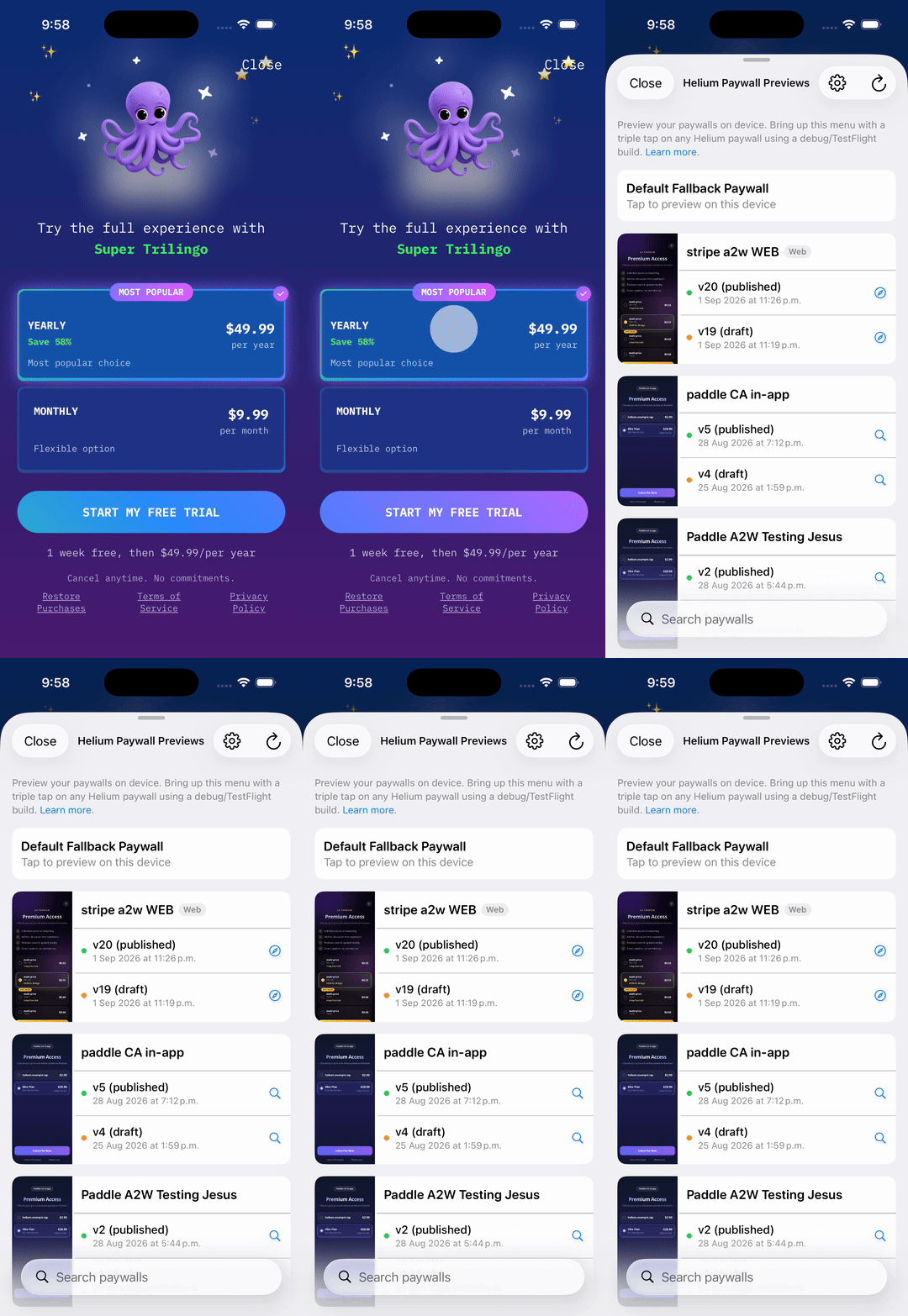
By default, this functionality is only enabled in debug/TestFlight builds for iOS and debug builds for Android.
Second Try Paywalls
If a paywall has a second try offer configured, the preview includes it: the second try paywall shows on dismiss or on purchase cancel, depending on its configuration, with its own products and prices. Second try is not supported on App2Web paywalls.App2Web previews
Available on iOS with these minimum SDK versions:- Expo / React Native using
expo-helium: 3.6.0+ - React Native using
@tryheliumai/paywall-sdk-react-native: 3.1.10+ - Flutter (
helium_flutter): 3.3.12+ - Native iOS: 4.9.0+